 MazWiz
Hangout Map
For moderators
Bring the map to your own subreddit
For people who run a group on Reddit (a subreddit), or who want to start one. If you just want to meet people, the Hangout Map on r/mazwiz is all you need.
You run a subreddit
Add the app in a few minutes. Your members get a map of who is around, and your hangout posts show up on it by themselves.
You want to start a group
A subreddit is free to create: for your city, a hobby, a club or your type. Create it on Reddit, then add the map as one of its first features.
Tutorial for moderators
Every setting, explained
The community types, the two networks, hangouts, intros, the bot, Discord, moderation and privacy, on an example community (8 min). The video is in English.
 Loading the tutorial…
Chapters
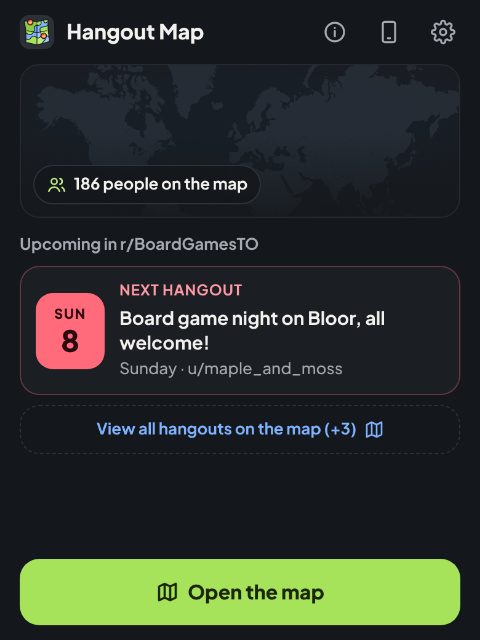
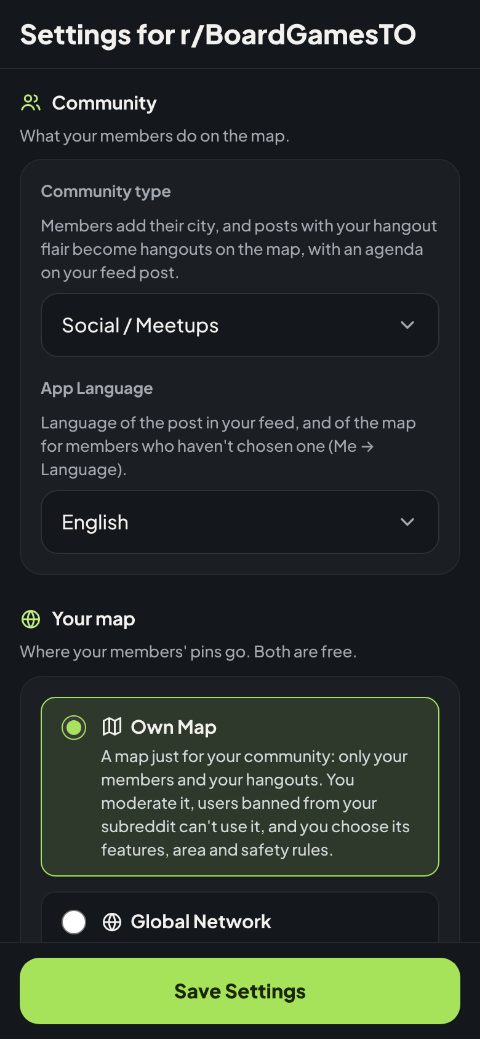
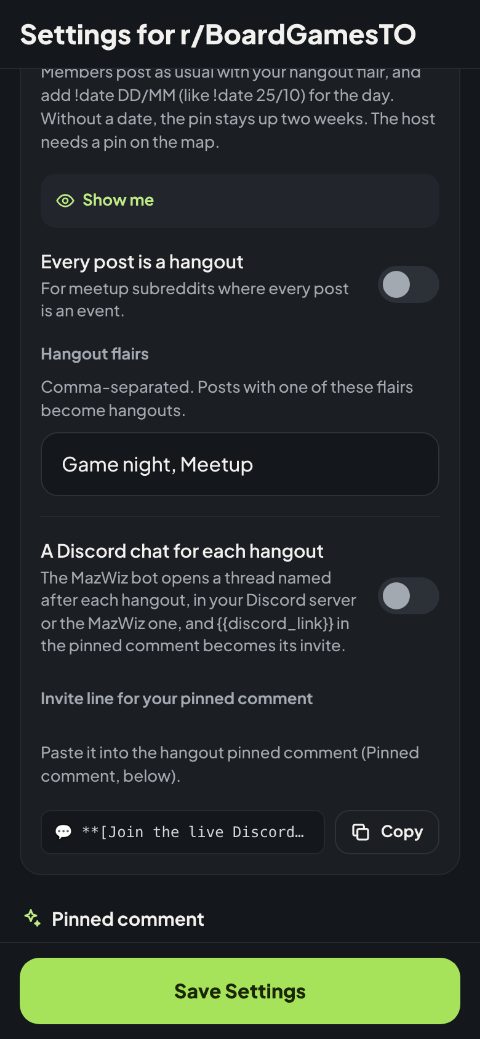
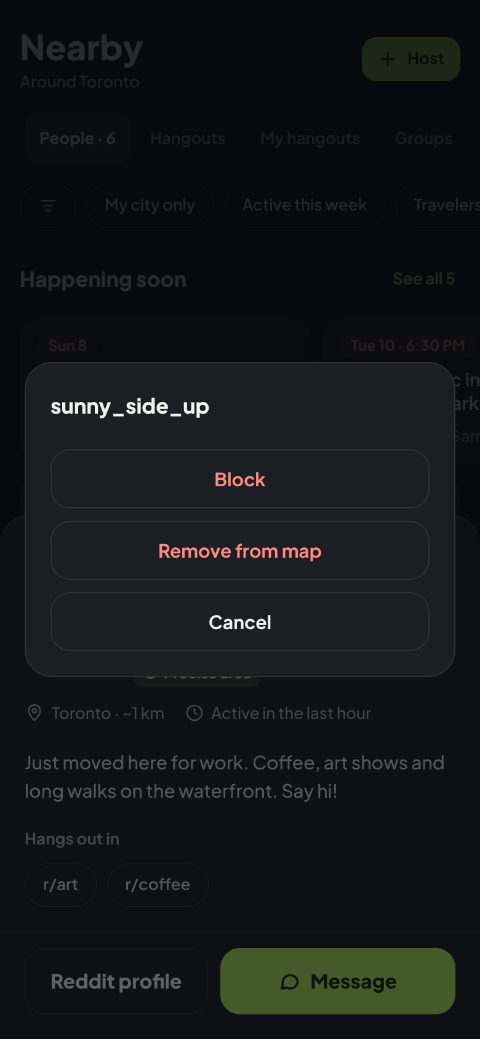
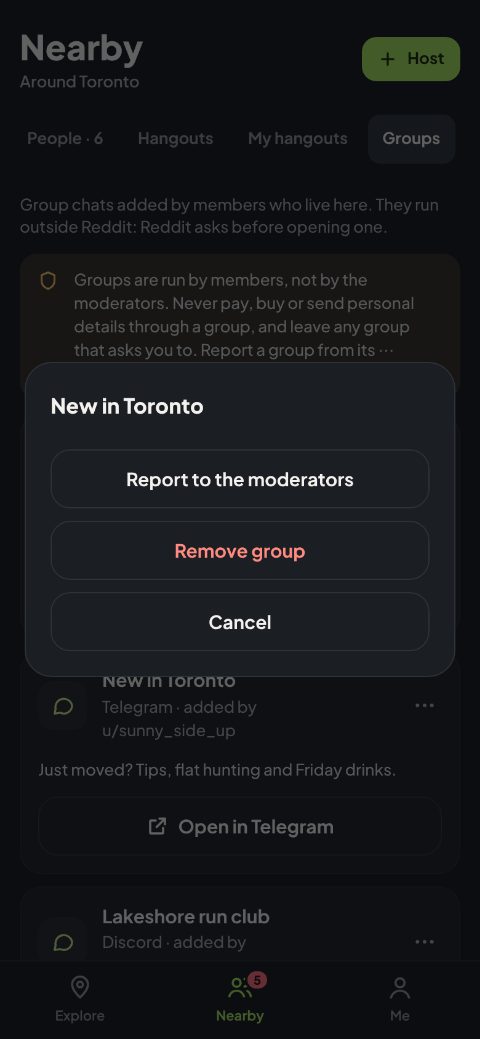
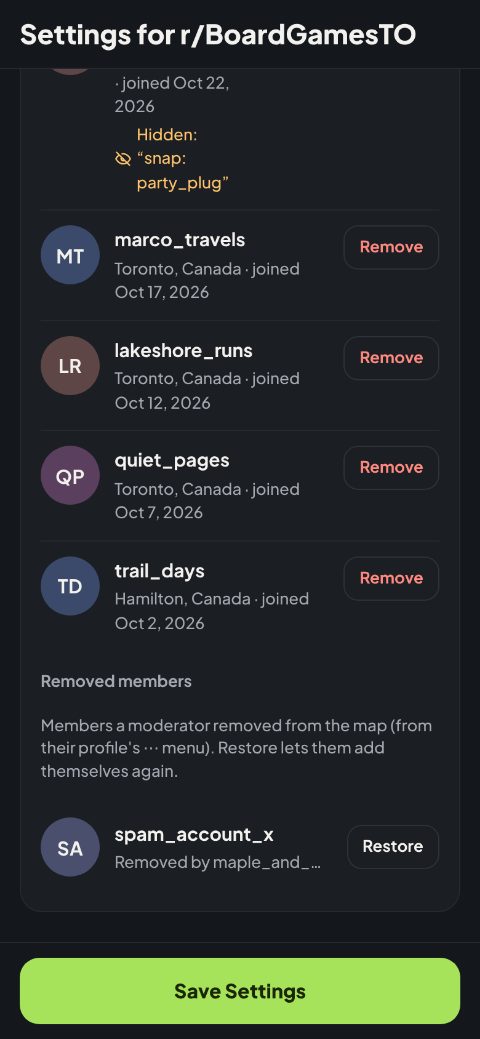
Example screens of an invented community, with invented people.
What your community gets
- A map of your members. Each pin sits on a city, never an address, and members can show their type on it.
- Hangouts from ordinary posts. A post with your hangout flair and
!date 25/10goes on the map by itself (its author needs a pin), and people tap I'm going. You can also treat every post as a hangout. - Intro posts on pins. Posts with your intro flair are linked to their author's pin, like a calling card, or every post if you prefer.
- A bot that points to the map. It pins a short comment, in your own words, on hangout and intro posts, and can open a Discord chat for each hangout. You can turn it off.
- City group chats. Members who run a WhatsApp, Telegram, Signal or Discord group for their city add its invite link to their profile, and the members of that city find it in Nearby, Groups. Adults only, up to 20 groups a city, and the links are only for members with a pin. New groups can wait for your approval, and members can report one.
- Moderation built in. On your own map, see everyone on it, remove a member, a hangout or a group chat, and restore removed members later. Users banned from your subreddit can't open it, and bios with links or outside contacts are hidden. On the Global Network, r/mazwiz's moderators look after the shared map. Members can also block each other.
- No daily work. Once set up, it runs by itself, in English, French, Spanish, Portuguese or Korean. Another language can be added on request: write to contact@mazwiz.com.
Two choices to make
Community type
Social / Meetups
For city groups and meetups: a map of your members and an agenda of hangouts.
R4R / Connections
For making connections: a directory of the profiles near each member. On an own map it keeps to profiles, with no hangouts.
Fan Club / Group
For communities spread far apart: on the Global Network your subreddit becomes a club on the shared map, so members find each other wherever they are, and can choose to be seen by the club only.
Your map
Own Map
A map of your own, just for your community: only your members and your hangouts. Users banned from your subreddit can't open it, you can limit it to an area around your city, and you choose its safety rules and features.
Global Network
Your members join the shared map on r/mazwiz and meet people and hangouts from many communities around the world. Your hangouts and intro posts can reach it too: once you choose it, we connect your community for you.
Both are free. A new community starts with its Own Map, and you can switch later in Community settings. After a switch, members add themselves again on the new map.
Your Discord, linked to your subreddit
Many subreddits also have a Discord server. The map can tie the two together: every hangout posted on your subreddit gets its own Discord chat, so the people going can talk before they meet.
- A thread for each hangout. When a hangout post goes up, the MazWiz bot opens a thread named after it, in the Discord channel you choose.
- Linked from Reddit and the map. The comment the bot pins on the Reddit post links to the thread, and the hangout's page in the map has a Join the group chat button.
- Tidy by itself. If a hangout post is removed, the bot says so in its thread, then archives and locks it.
- No Discord server? Your community can be linked to the MazWiz Discord server instead: the threads of your hangouts open there.
Turn it on
- 1In Community settings, keep the pinned comment on, and under Hangout posts turn on A Discord chat for each hangout.
- 2With your own server, tap Add the MazWiz bot to your server, then enter your server and channel IDs. Without one, leave them empty: your hangouts use the MazWiz Discord server.
- 3Copy the invite line into your Hangout pinned comment, then save.
Privacy and the GDPR
Moderators often ask if the app respects the GDPR. It was built for it from the start: members choose what they share, can see all of it, and can delete it at any time.
- Only what members choose. A member has no profile until they add themselves to the map. No location tracking: the pin sits on a city they pick, and the optional area code (about 1 km) is made on their phone. Their exact position is never sent or stored.
- Stored inside Reddit. Everything stays on Reddit's own app platform (Devvit), separately for each community. No outside database, no ads, no trackers.
- Two outside services, both limited. The app can only reach the two services it declares to Reddit: YouTube gets the ID of a song a member shares, and Discord the title of a hangout post, only if you turn it on. The Pixel Pub games page (games.mazwiz.com) gets a player's username only when they start a game. The app never contacts WhatsApp, Telegram, Signal or Discord: it only shows the group chat links that members add.
- Members' rights, built in. Members see everything their profile shares on their Me page, change it in Edit profile and erase it all with Delete my profile. Any other request goes to contact@mazwiz.com, not to you.
- Kept no longer than needed. A hangout goes a day after it ends, a shared song after 30 days, and the profile of a deleted Reddit account after 90 days. A member's group chats go with their profile.
- Safe by design. Adults only (18+), no search by username, and blocking works both ways. Nobody sees a member's area code, moderators included. If you turn it on, bios with links, outside contacts or scam words are hidden until fixed.
Your Own Map works as soon as the app is installed; on the Global Network, we connect your community for you. Every detail is in the app's privacy policy: feel free to link it in your rules or sidebar.
Add it in four steps
- 1Open the app's page on Reddit, tap Add to community and pick your subreddit.
- 2On your subreddit, open the ⋯ menu and choose Add MazWiz Hangout Map: it creates the map post.
- 3On that post, tap Start setup (or the gear, Community settings): a short guide asks for the community type, your map, its area and safety rules, the language and your flairs, then Save and finish.
- 4Pin the post so members find it. Community settings also shows how to put the map on your subreddit's status button, and can publish a ready-made announcement post that explains the map to your members.